
Relaunch HexDrop
Menu bar apps can occasionally get into a weird state after a macOS update or a long uptime. Quit HexDrop fully and open it again.
Getting started →HexDrop v1.1 is live — See the roadmap
The User Guide covers the full workflow. This page focuses on the things people hit most: finding HexDrop in the menu bar, shortcuts, formats, and copy behavior.
Subscribe for tips and updates.
Try these three steps first — they solve most support requests.
Menu bar apps can occasionally get into a weird state after a macOS update or a long uptime. Quit HexDrop fully and open it again.
Getting started →Picking uses Apple’s built-in color sampler. Choose your color there and confirm—if you dismiss the sampler without confirming, nothing is copied.
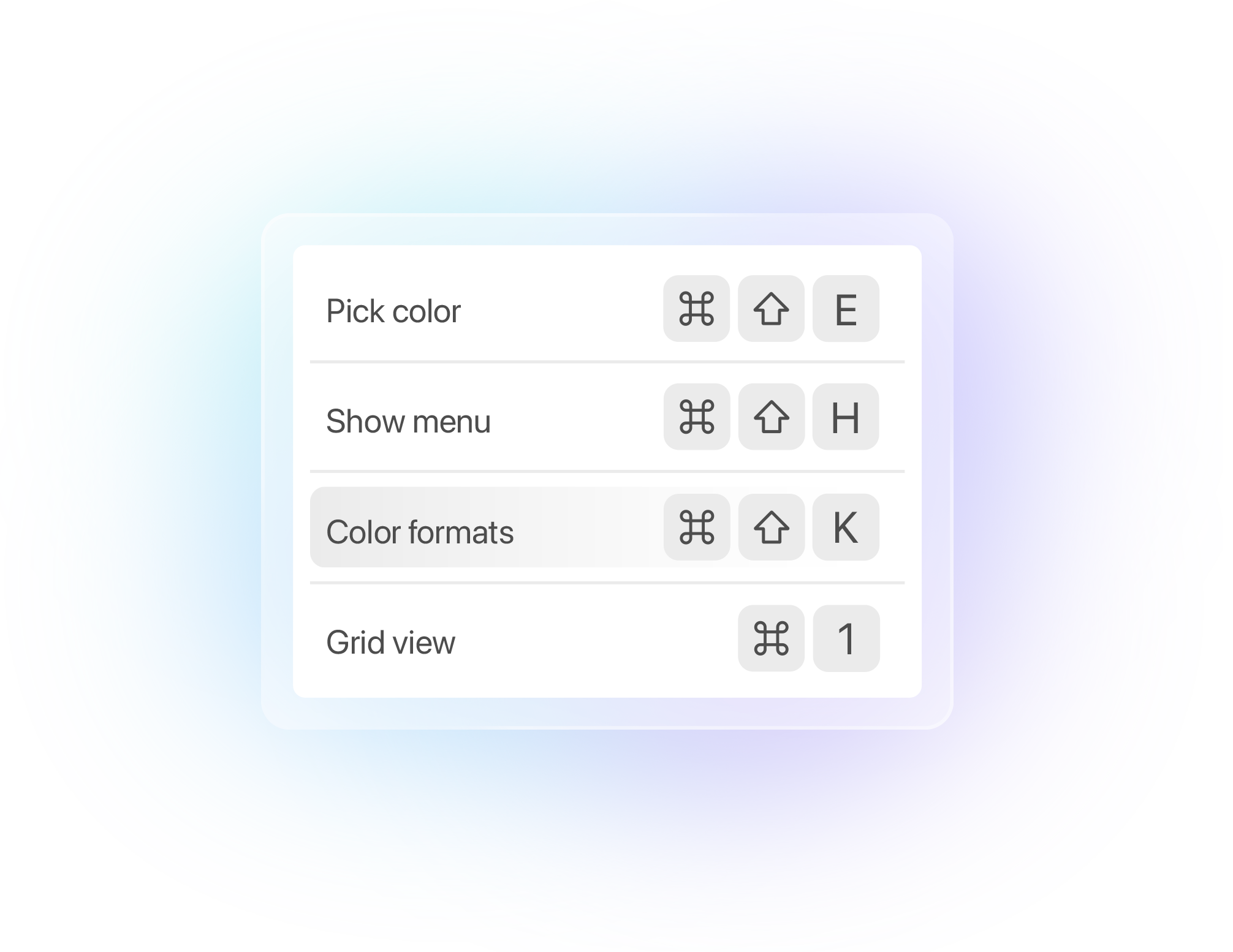
Picking colors →Another app may be using the same key combo. Reset the shortcut in Settings.
docs#shortcuts →Only the questions that come up the most. Everything else lives in the User Guide.
macOS can hide menu bar icons in the overflow area. Click the » or ›› at the edge of the menu bar to reveal hidden icons — HexDrop may be there. You can drag it back into the main menu bar once you find it.
If HexDrop still isn't visible, open Applications and launch it again (or restart your Mac).
⌘⇧E) doesn't work. (Conflict or disabled)
Two common causes:
Fix: open Settings → Shortcuts, click the shortcut field, and press a new combo. If you're unsure, hit Reset to go back to the default.
HexDrop copies after you confirm a color in Apple’s sampler. If you close the sampler without choosing, nothing is copied. If you did confirm and still see nothing:
Enter or ⌘C).Go to Settings → Formats and toggle formats on/off. Disabled formats won't appear in the Formats view and won't be included in Copy All.
Tip: the "Developer formats" section only appears when at least one dev format is enabled.
No—HexDrop is built so picking uses macOS’s built-in color sampler, and global shortcuts are registered in a standard way that does not rely on those toggles. If System Settings ever shows HexDrop next to other categories, follow what macOS reports for your version.
More detail: Documentation → Permissions
App Store purchases are tied to your Apple ID. If you're on a new Mac, install HexDrop again from the App Store using the same Apple ID. If you're signed into the wrong account, switch Apple IDs in the App Store and try again.
HexDrop is designed to be lightweight and local-first. Your color history lives on your Mac.
If the FAQs didn't solve it, send a message. (Wire this to Formspree, a server endpoint, etc.)
Browse the documentation, check the quick guide, or reach out via support. HexDrop launches at $7.99$9.99 CAD, one time.